I want to speak German confidently in daily scenarios by the end of 2026
I started German classes to learn with a community and stay motivated. But most of my learning stayed inside the classroom. I wanted an easy way to practice what I learned on the go, even while waiting for a delayed train in Berlin.
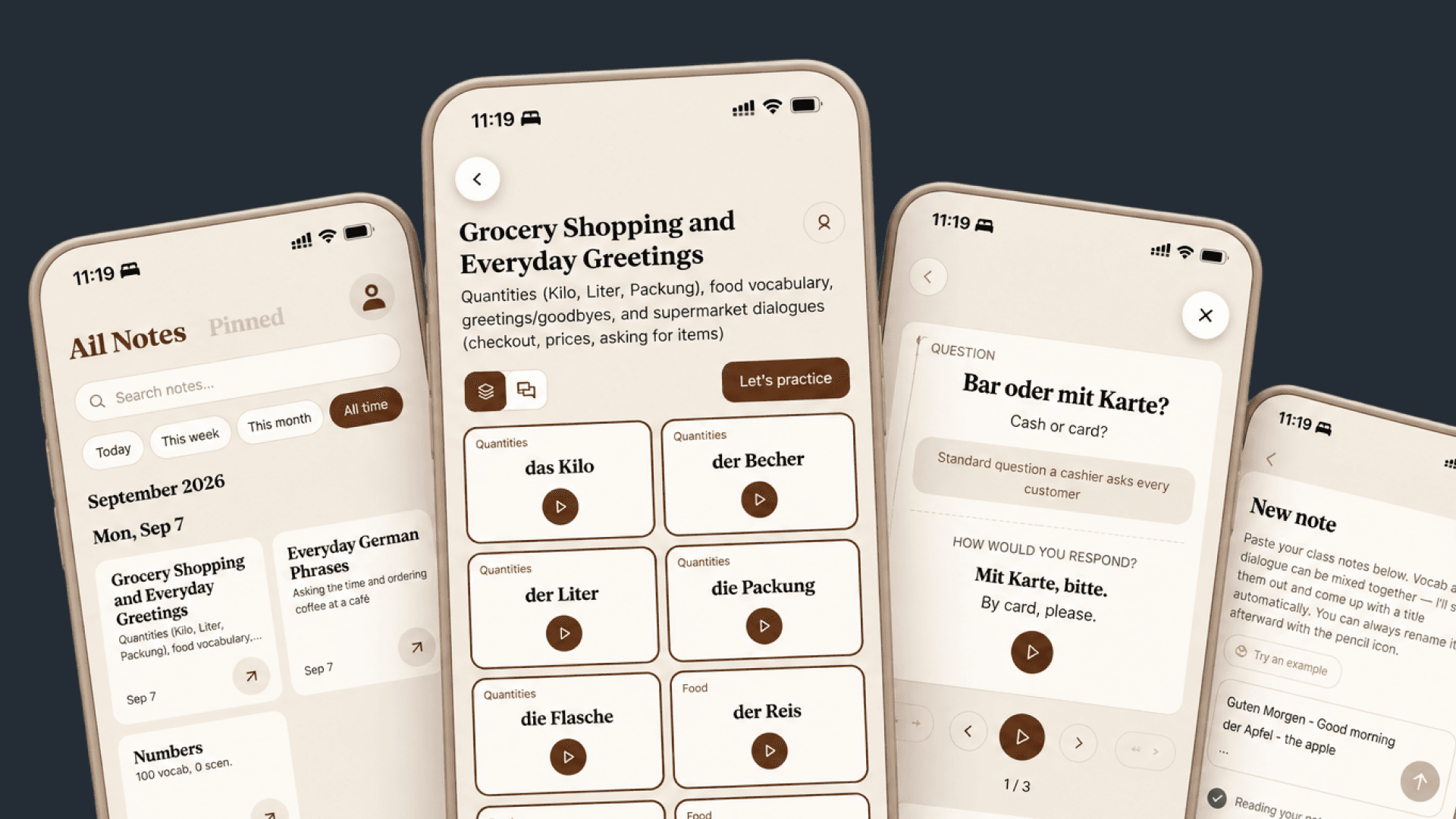
Organize notes with AI
Turn messy German notes, translations, and new vocabulary into structured learning cards.
Browse by real-life scenarios
Explore content by situations like cafés, supermarkets, and public transport.
Practice what I learned
Practice vocabulary, grammar, speaking, and listening based on my notes and real-life scenarios.
Build Process
1. Frame the problem: I want to practice German on the go
I asked AI to interview me about how I study German, my learning goals, and where I struggle.
This helped me narrow the first version down to two jobs:
- Turn class notes into reusable vocabulary and sentence cards.
- Practice what I learned so I can remember words and use sentences more naturally.
The goal was not to build a full language learning platform. It was to solve the small problem I had every week after class.
2. Explore common mobile patterns with Mobbin MCP
I connected Mobbin MCP and used Claude to explore common patterns for saving, browsing, and reviewing content. This gave me several options to compare before choosing a structure.
3. Iterate with AI to build the first interactive prototype
Once the main jobs were clear, I mapped the app by hand.
The first version focused on four areas:
- Home: see saved material and learning groups.
- Add: turn class notes into vocabulary and sentences.
- Cards: browse saved vocabulary and sentences.
- Practice: review cards and mark what I remember and what needs more practice.
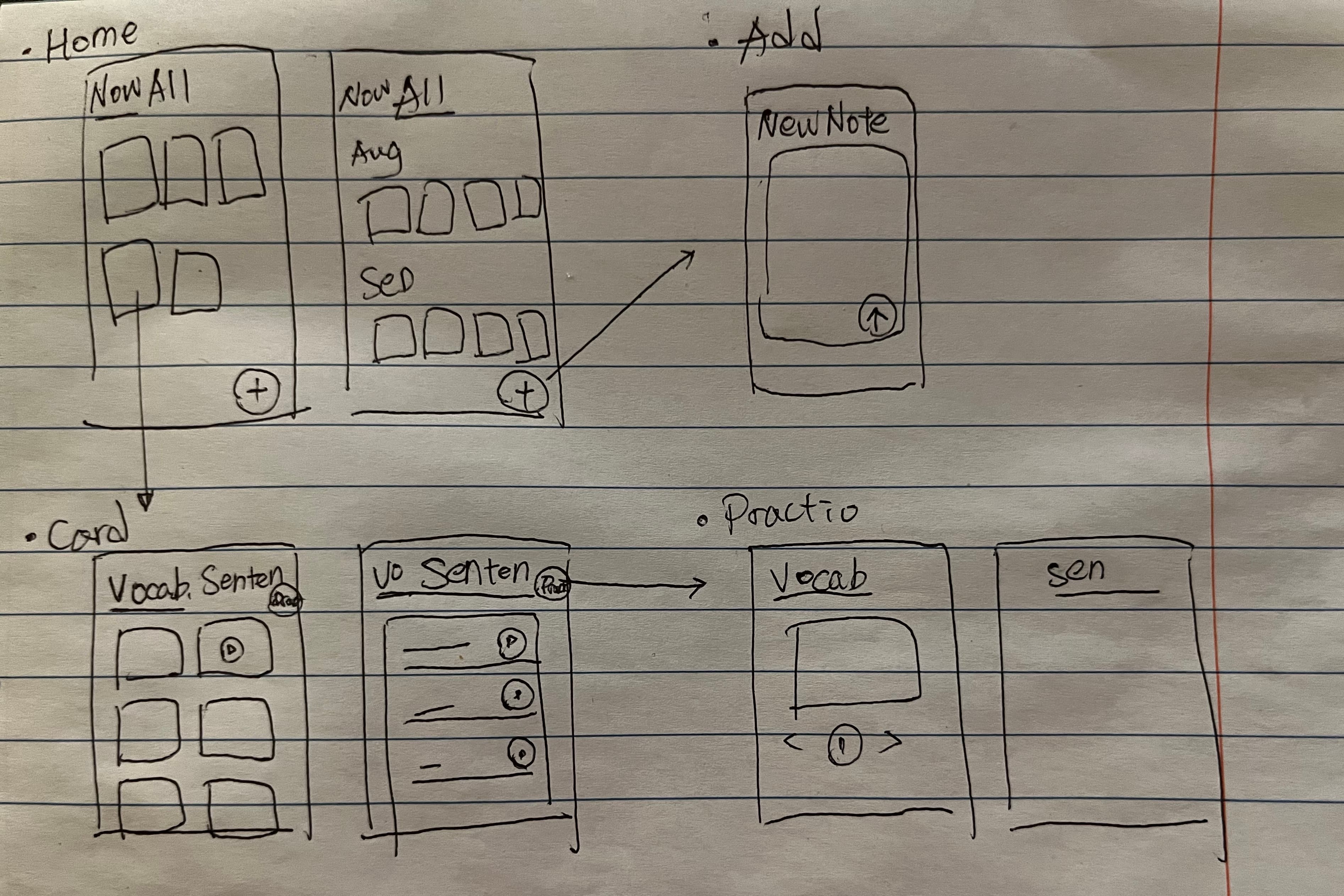
Claude Code turned my paper sketch into screens and added some interactions I had missed.
After a few iterations with Claude and Figma, I reached the final design.
4. Building the real product was the easiest part
Once the structure and interactions were clear, I used Supabase, Vercel, and GitHub to turn the prototype into a working product.
Surprisingly, implementation was the easiest part. Most of the hard work happened earlier: understanding the problem and deciding what to build.
Takeaways
AI helped me fill a gap in my German learning
I used AI to turn what I learned in class into something I could easily practice in daily life.
Building a reusable AI design workflow
I reused the Design Skills I had created while building my portfolio website and tested them on a different product. Each iteration helped me refine how I work with AI across projects.